
OPEN VERSE CHALLENGE LEAGUE
Open Verse Arena
Finalist voting is closed. 504 Deal and I'm Just Ryan are advancing while the League prepares the next beat and a new round of contenders.Turn a full 360° · Hall of Fame is across from the ring, past 504 Deal
Opening the gym…
OPEN RINGBEAT SPARRINGENTERHall of Fame
Honoring the artists we have lost. Their voices remain part of our community.

Vision
Forever part of the IEST community.NEW · LIVE CREATOR ROOMPut the beat
Put the beat
in the ring.
Producers post original beats. Artists record verses over them. Producers answer beat-for-beat. Signed-in IEST members vote on what advances.
APRODUCER
VSBCHALLENGER
ARTIST VERSE CHALLENGES · PRODUCER VS PRODUCER · COMMUNITY VOTING
OPEN VERSE · PRACTICE STATION
Build a pocket before you write.
Tap out a rhythm for the next verse. Your full session continues inside the IEST “BeatGeo” Beat Lab.Enter the BeatGeo Beat Lab ↗IESTBEATGEOREADY
TAP PADS · OR USE KEYS 1–4New challenge coming soon.
New beat. New contenders. The road to the Open Verse crown continues.
ROAD TO THE CROWN
Advancing artists
Two rounds complete. Two artists move forward.

BEHIND THE BEAT
Meet the producers
The sound behind the Open Verse Challenge League.
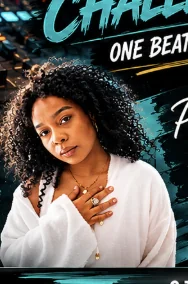
ROUND 1 PRODUCER · 504 DEAL
Parish Walker
Listen on IEST ↗
ROUND 2 PRODUCER · I'M JUST RYAN
Teedotinsof
Listen on IEST ↗OPEN VERSE CHALLENGE LEAGUE