IGGY

Add IEST to your device

Keep music, games, stories, and your District just a tap away. Free to add; an internet connection is required.

iPhone or iPad
  1. Open iest.media in Safari.
  2. Tap Share (the square with an upward arrow). It may be inside the menu.
  3. Choose Add to Home Screen. Keep Open as Web App on if shown, then tap Add.
Android
  1. Open iest.media in Chrome.
  2. Tap the three-dot menu.
  3. Choose Add to Home screen or Install app, then confirm.
Computer

In Chrome or Edge, look for the install icon in the address bar or the browser menu’s install option. In Safari on Mac, choose File → Add to Dock.

Opened from Instagram? Use its menu to open this page in Safari or Chrome first. If your saved hunt does not appear in the app, use your private recovery code from your hunt pass.

← Digital District

IEST HEADQUARTERS · EVENT SERVICES

Build your IEST experience.

Choose one service or bring the complete IEST experience to your event—media, music, games, talent, hosting, and promotion in one place.
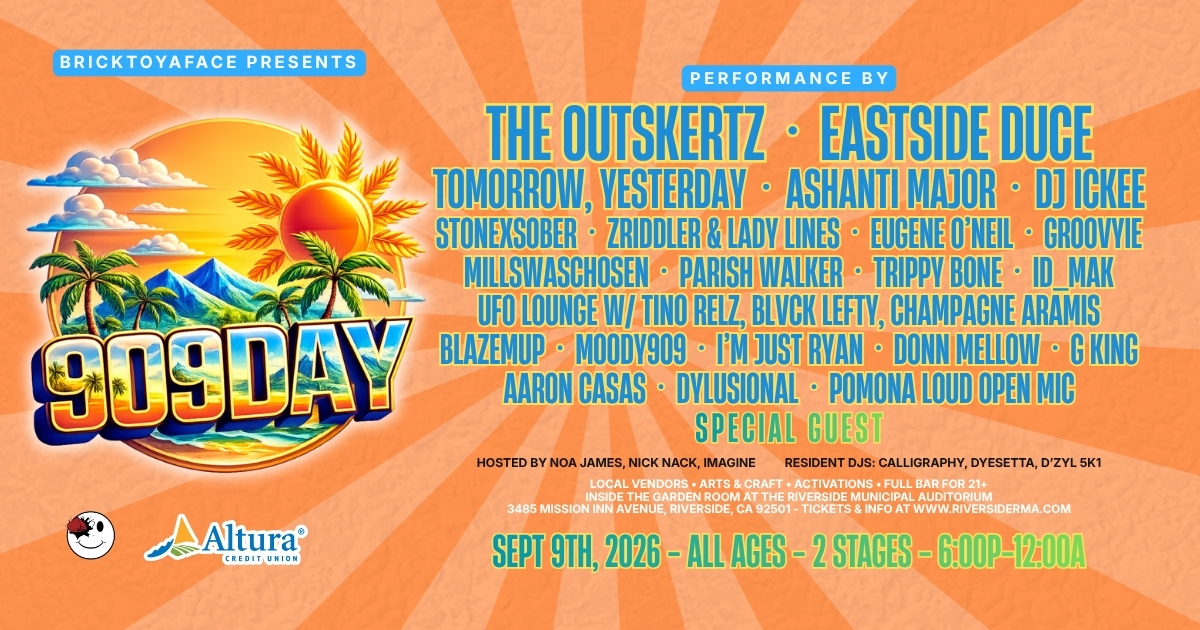
909 Day live event experience in the Inland Empire
BOOK INDIVIDUAL SERVICES OR THE FULL EXPERIENCE

More than event coverage.

IEST can record the event, photograph it, soundtrack it, host it, activate games, present shows, interview guests, and help promote the experience before and after the doors open.

Choose your services ↓
BOOKABLE IEST SERVICES

Choose what your event needs.

YOUR EVENT PLAN

Start building your booking

Select services above. The IEST team will confirm availability, final scope, pricing, and purchase options.